
No products
Prices are tax excluded



Interactive contact form for your product questions
interestedinproduct
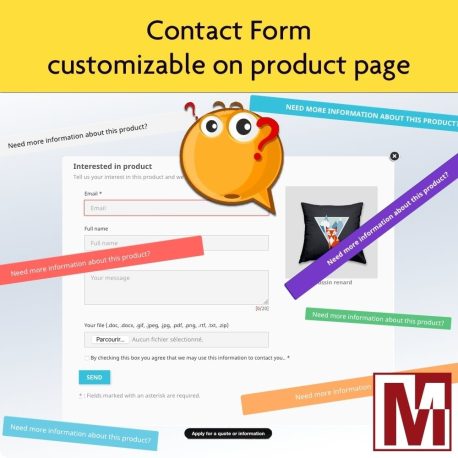
Here's a module that lets you effortlessly connect with your prospects and customers, right from the product page. Say goodbye to tedious off-page navigation! Thanks to this innovative feature, a customizable button will be automatically integrated into the product page, allowing users to access a personalized contact form in a modal window.
Data sheet
| Version | 3.8.3 |
| Core modifications (override) | No |
| Third party subscription: | No |
| Translation : | bg-da-de-el-es-et-fi-fr-hu-it-ja-nl-pl-pt-ro-sk-sv-uk |
| Compatible Prestashop 1.6 | Yes |
| Compatible Prestashop 1.7 | Yes |
| Compatible PrestaShop 8 | Yes |
| Compatible PrestaShop 9 | Yes |
| Compatible thirtybees 1.1 | Yes |
| Compatible thirtybees 1.2 | Yes |
| Compatible thirtybees 1.3 | Yes |
| Compatible thirtybees 1.4 | Yes |
| Compatible thirtybees 1.5 | Yes |
| Compatible thirtybees 1.6 | Oui |
| PhenixSuite compatible | Yes |
| Responsive Design | Yes |
| Multi Shop compatible: | Yes |
| Video | https://www.youtube-nocookie.com/embed/Z7jWmHz-kA8 |
| PrestaShop Forum | https://www.prestashop.com/forums/topic/1020159-module-dynamic-contact-form-on-product-page/ |
| Forum Thirty Bees | https://forum.thirtybees.com/topic/4035-module-dynamic-contact-form-on-product-page/ |
| Demonstrations | https://ps8.mediacom87.net/interestedinproduct/en/ |
| Addons PrestaShop | https://prestashop.pxf.io/dynamic-contact-form-on-product-page |
More info
The Problem
A visitor hesitates on a product, needs a technical detail, a delivery time or a specific price. They have to leave the product page, find your contact page, fill in a generic form and hope you understand which product they are asking about.
Result: the visitor gives up before even reaching out. You lose a potential sale without ever knowing it.
The Solution
Interested in this product adds a call-to-action button directly on the product page. One click opens a modal window with a pre-filled contact form and the product image.
You receive a detailed email with the product name, its combination, a direct link and all the visitor’s information. A customer service thread is created automatically in your PrestaShop back office.
How It Works
The visitor clicks
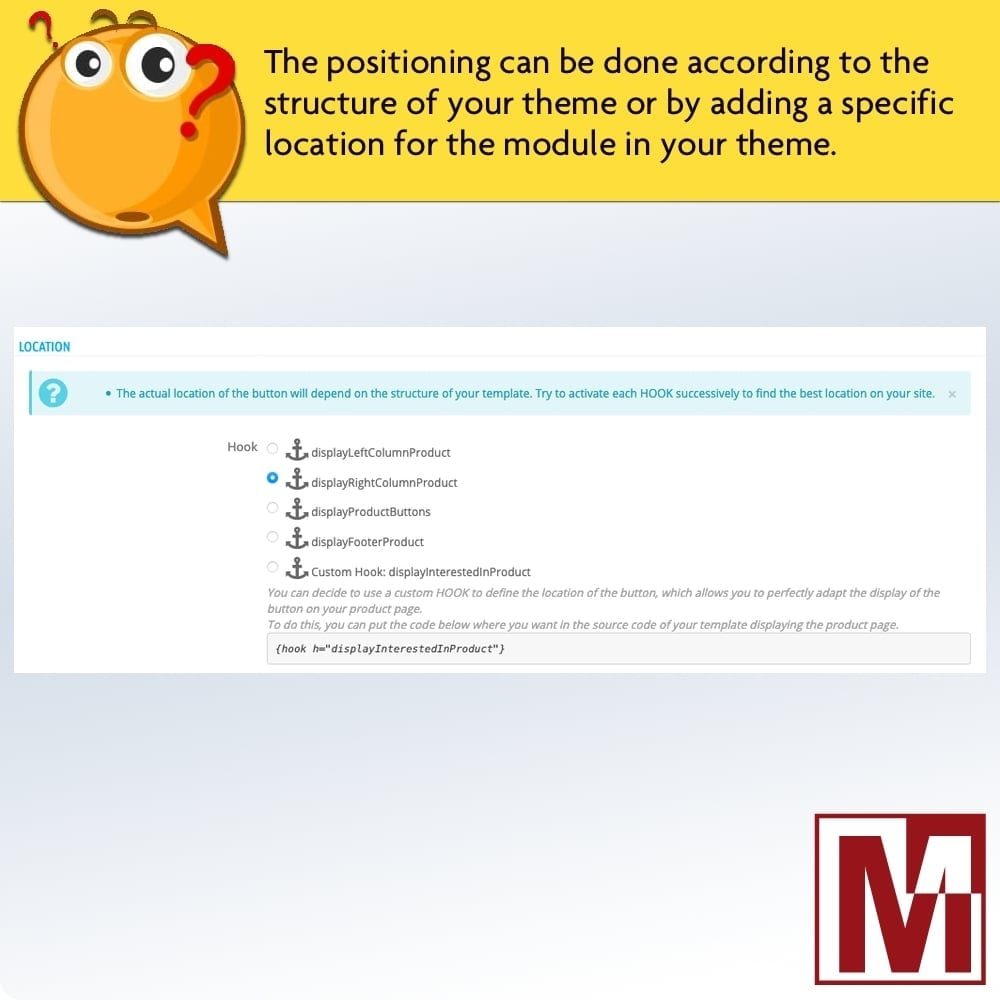
A customisable button is displayed on the product page, at the location of your choice among the available hooks.
They fill in the form
A modal window shows the form with the product image, its combination and the fields you have configured.
You get notified
You receive a complete email and a customer service thread is created in your back office.
Detailed Features
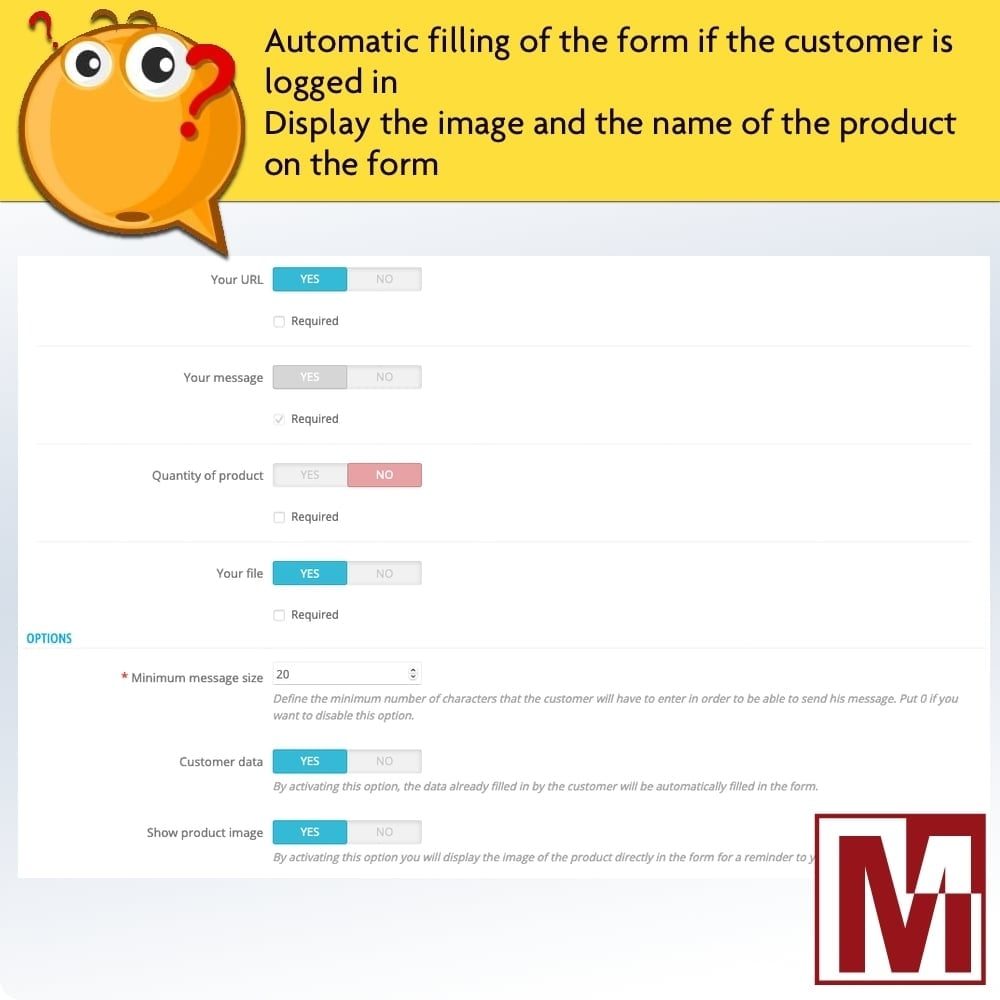
Customisable Form
- 17 available fields (email, name, phone, company, SIRET, message…)
- Each field can be shown or hidden, made required or optional
- Configurable minimum message length
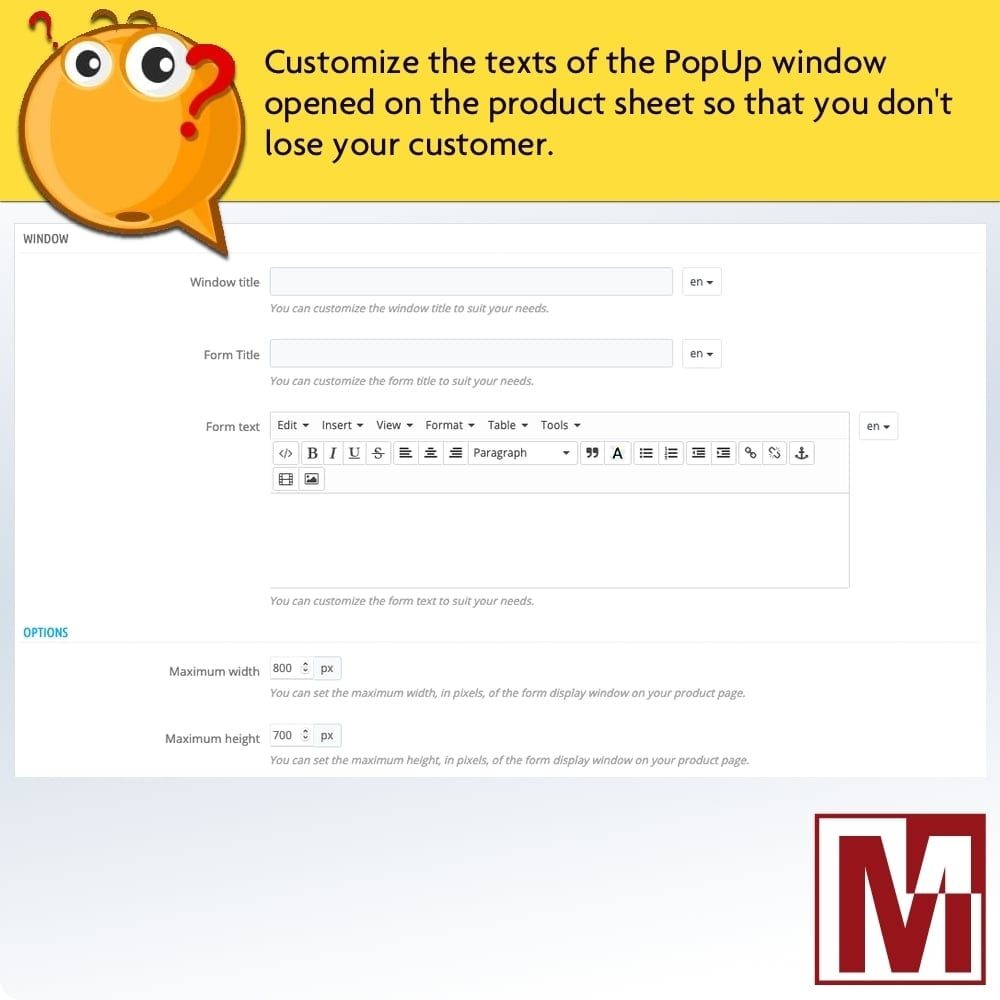
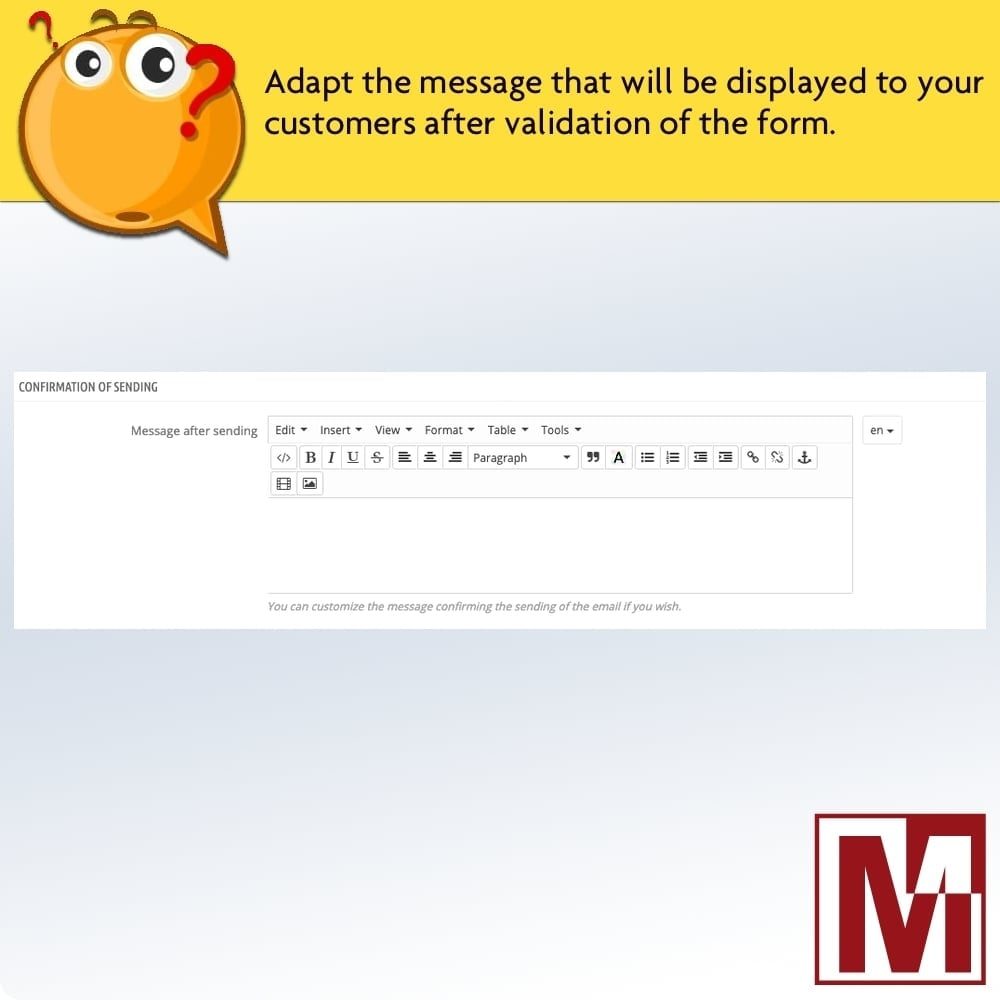
- Form text and confirmation message customisable per language
Modern Modal Window
- AJAX opening with no page reload
- Product image and name with real-time combination update
- Customisable dimensions (max width and height)
- Close by clicking outside, button or Escape key
Email Notifications
- Email templates in 18 languages (HTML and plain text)
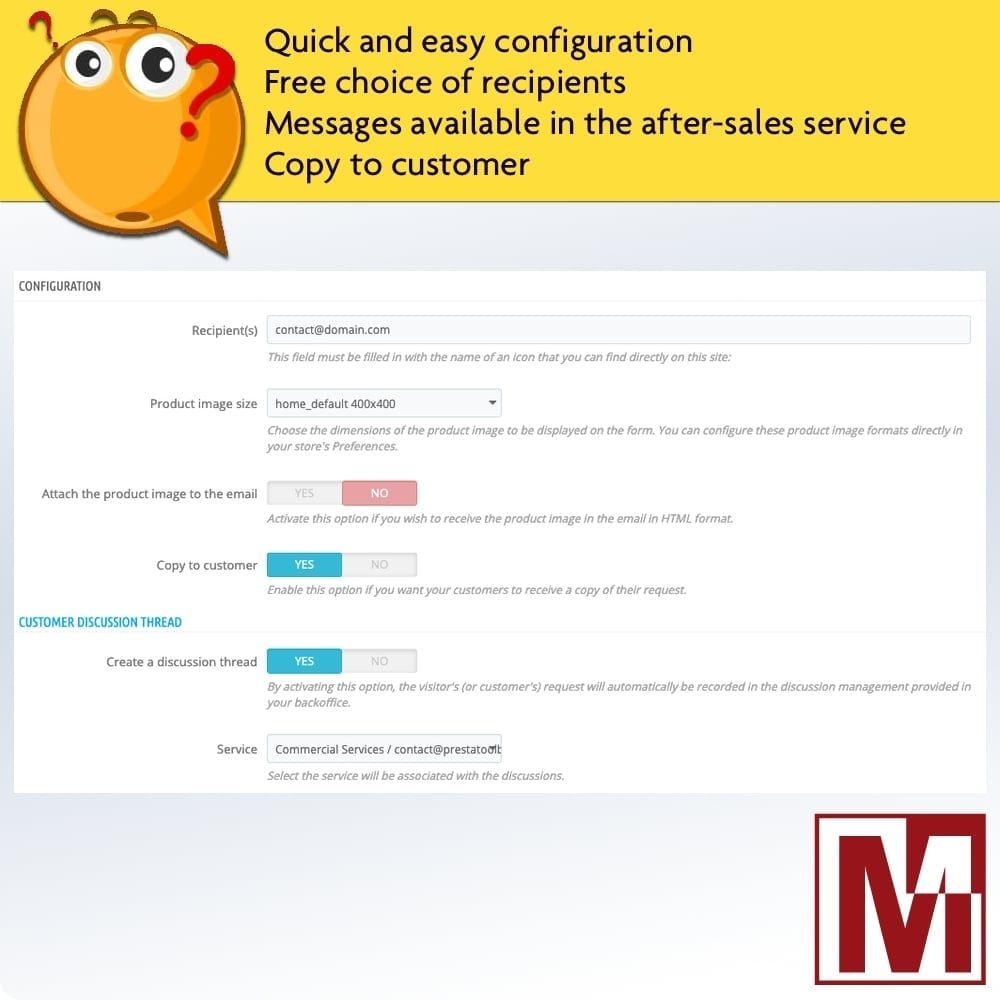
- Multiple recipients (comma-separated addresses)
- Optional copy to the customer
- Optional product image attached to the email
Customer Service Integration
- Automatic customer service thread creation
- Attached to the contact department of your choice
- Product link included in the message
- File attachment transferred to the thread
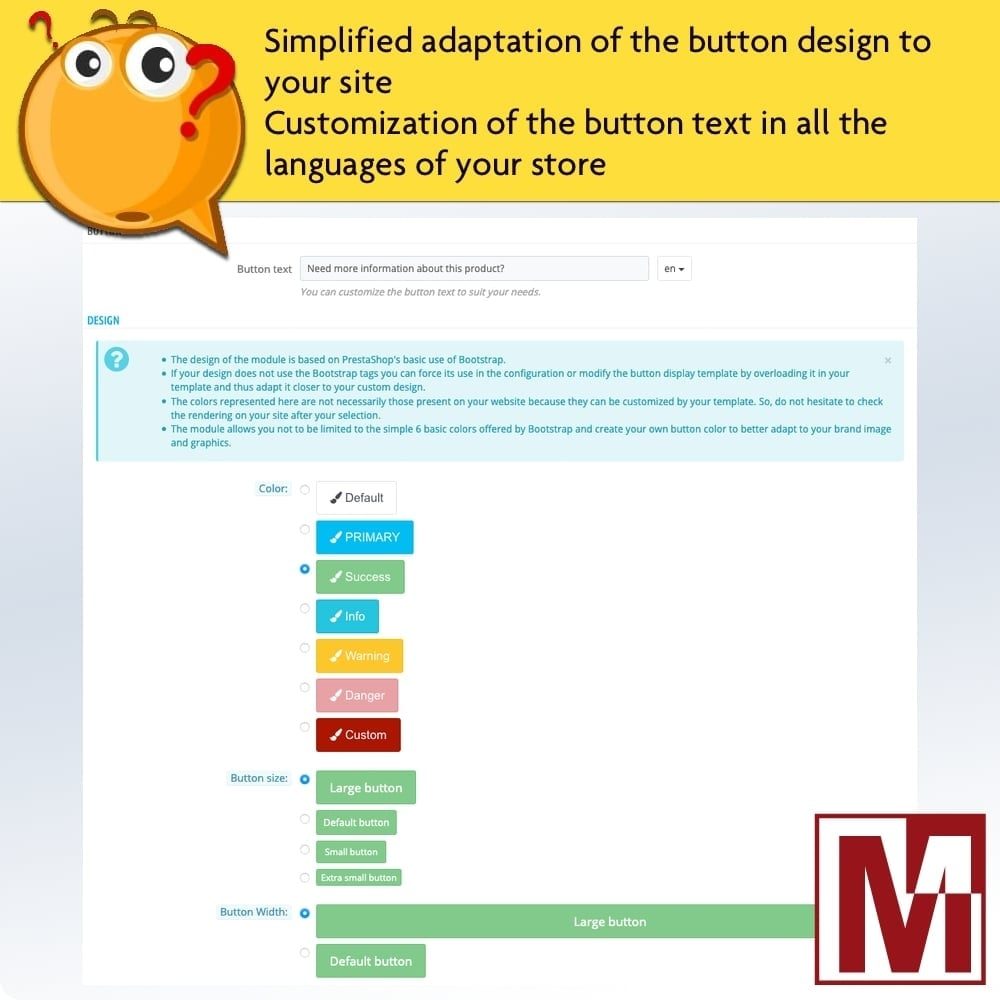
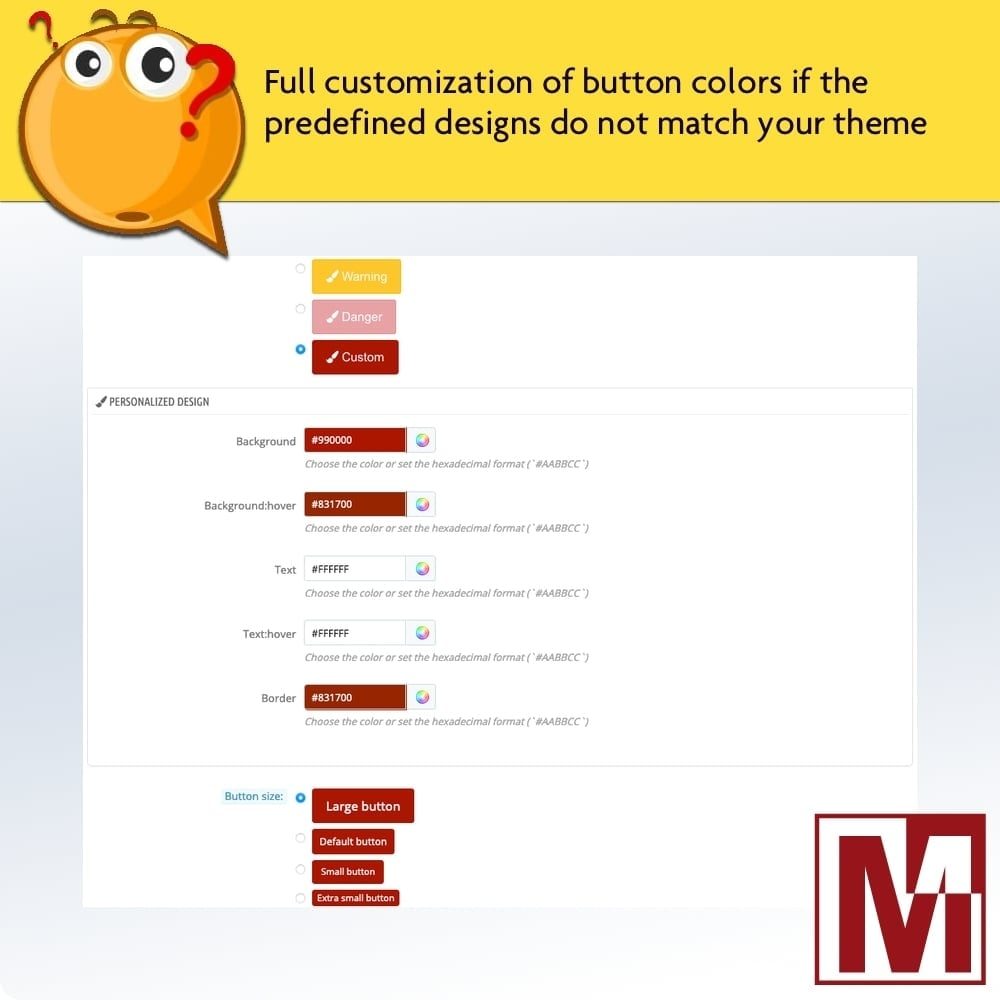
Button Design
- Customisable text, background and hover colours
- Configurable button size and width
- Button label customisable per language
- Real-time preview in the back office
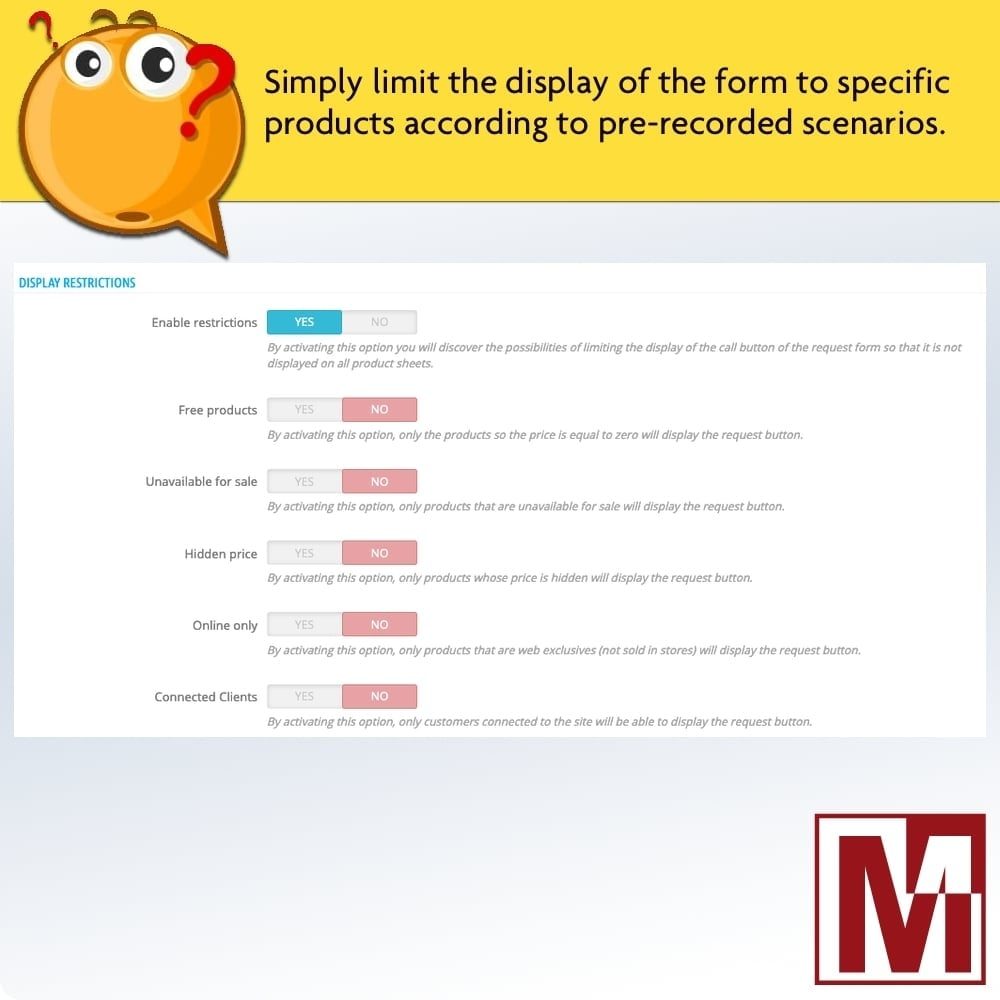
Display Restrictions
- Show only on free products
- Show only on out-of-stock products
- Show only on products with hidden price
- Restrict to logged-in customers or visitors only
Security
- Built-in anti-spam math captcha
- Invisible honeypot field
- Unique form key per installation
- Server-side validation on all fields
GDPR
- GDPR consent checkbox (can be enabled/disabled)
- Consent text customisable per language
- Consent recorded in the email and service thread
- Visitor IP address tracked
Multiple Hooks
Choose the button location among available hooks: displayReassurance, displayProductAdditionalInfo, displayAfterProductThumbs, displayFooterProduct, displayRightColumnProduct, displayLeftColumnProduct, displayProductButtons or the custom hook displayInterestedInProduct.
Installation
Download the module and install it from your back office (Modules > Module Manager)
Configure recipient email addresses and form fields
Choose the button location and customise its design
The button appears immediately on your product pages — your visitors can contact you in one click
Changelog
3.8.3 - 03/24/2026
- Fixed HTML content displayed as raw code in the front-office form (form text and confirmation message)
- Fixed hardcoded 'classic' theme fallback, now uses the configured theme
- Removed unused images and dead code
3.8.2 - 03/16/2026
- Fixed a bug where the modal window would not open when clicking the button after a product variation change
- Improved back-office information page layout
- Fixed XSS vulnerabilities in the contact form processing
- Added product link validation in the form submission
- Fixed product cover image error handling when image is unavailable
- Added missing product variation field in the PrestaShop 1.6 form template
- Code quality improvements and coding standards compliance
3.8.1 - 01/22/2026
- Fixed a bug in email template management
- Small code correction to remain compatible with PHP 5.6
- Add a security policy
3.8.0 - 01/15/2026
- Complete redesign of the modal window to permanently separate from Fancybox and jQuery
- Added customization of the product image and name and its variations in real time in the form window
- Fixed a display issue when changing declination if the button was attached to the Hook displayProductAdditionalInfo
3.7.1 - 10/11/2025
- Fixed an issue with the form display on the product page
3.7.0 - 09/03/2025
- Added compatibility with PrestaShop 9
- Improved compatibility with Bootstrap 5
3.6.0 - 04/23/2025
- Code enhancement
- Performance enhancement
- Improved compatibility with design customization modules like Creative Elements
3.5.5 - 09/18/2024
- Improved ALT tag for product form images
3.5.4 - 06/27/2024
- Bugfix for mobile browsers
- Fixed a security method that could block the form
- New button design
3.5.3 - 06/17/2024
- Code optimization to work around certain theme bugs
- Correction of a display bug in the BO on Firefox
- Improved display of product name and image for variations
3.5.2 - 02/27/2024
- Correction of a typing error in an update file
3.5.1 - 01/31/2024
- Fixed cache management error concerning form security
3.5.0 - 01/09/2024
- Correction of form display on some themes that can use pageBuilder, such as Elementor
- Performance enhancement
3.4.0 - 08/07/2023
- Added compatibility with PrestaShop 8.1
- Fix compatibility with PHP 8.1
- Improved module UX
3.3.0 - 10/21/2022
- Added compatibility with PrestaShop version 8
- Fix a cache management bug for PrestaShop version 1.7.4
- Correction of the form display if the button should not be displayed on the product
3.2.3 - 06/20/2022
- Correction of the form validation defect when it is attached on the HOOK displayProductAdditionalInfo
- fixed the defect of displaying the personalized confirmation message after sending the email
3.2.2 - 06/14/2022
- Correction of small bugs following the last modifications
3.2.1 - 06/13/2022
- Fixed a bug when you don't want to display the product image in the form
- Fixed support for window size configuration
- Added an option to hide the product image if the cover image does not exist
- Improvement of the management for the display of the product image on the form
3.2.0 - 06/10/2022
- Fixed a bug on some template displaying the form after clicking on the button
- Added a restriction to display the button only to visitors not logged in
- Adding translations
3.1.4 - 02/18/2022
- Fixed a bug on the display of the button only for free products
3.1.3 - 11/15/2021
- Correction for the cache management when modifying the module configuration
3.1.2 - 11/02/2021
- Fix a bug on PrestaShop version 1.7
3.1.1 - 04/28/2021
- Correction of multiple message sending
- Improvement of the anti Spam
3.1.0 - 02/24/2021
- Correction of the file sending in the form
- Correction of security error 2
- Add mathematical captcha option
3.0.1 - 01/26/2021
- Improved module cache management
3.0.0 - 01/24/2021
- Redesign of the fancy box code
- Removal of the option to force Fancy box
- Addition of the RGPD consent
- Added an option to show or hide the image of the product in the form
- Adding a character counter on the message if a limit is configured in the module
- Disable the request button after the form has been sent
- Added a thank-you message on the button when it is disabled after the email is sent
- Added option to customize the dimensions of the form display window
2.5.0 - 12/11/2020
- Update fancy box script
- Added the option to disable the use of Fancy box if the site already uses it
- Addition of the option to attach the product image in the email
- Fixed a bug that prevented the recording of the module configuration.
- Responsive form window
- Added an option on the width of the button
- Improvement of the form code
- Addition of the quantity produced in the choice of options of the form
2.4.1 - 04/16/2020
- Fixed a bug with the option to send the copy to the client for PrestaShop versions higher than 1.6.1.0
2.4.0 - 04/15/2020
- Added configuration option to make a field required or not in the contact form
- Fixed bug sending form when cache is activated
- Correction of a bug in the translation of some sentences
2.3.0 - 03/26/2020
- Adding new form fields
- Added explanations on how to use the module to help users
- Fixed a display defect for some templates on PrestaShop 1.7
- Correction of the display of the customization of the texts of the form on PrestaShop 1.7
2.2.0 - 03/17/2020
- Added the option to auto-fill customer data when the customer is connected
- Adding the mobile phone number option
- Real-time preview of button design configuration
2.1.0 - 11/26/2019
- Added the option to restrict the display of the request button to connected clients only
- Adding the company field
- Added customization of the sending confirmation message
- Reorganization of options for greater consistency and ease of use
2.0.0 - 10/03/2019
- Complete redesign of the module
- Changing and simplifying the design of the form call button
- Added restrictions to display the form call button so that it can only be displayed on certain products.
- Complete redesign of the form fields, allowing further customization of the form
Interested in product
Tell us your interest in this product and we will contact you for more details.
Reviews