
No products
Prices are tax excluded

Reminder for abandoned cart
cartreminder
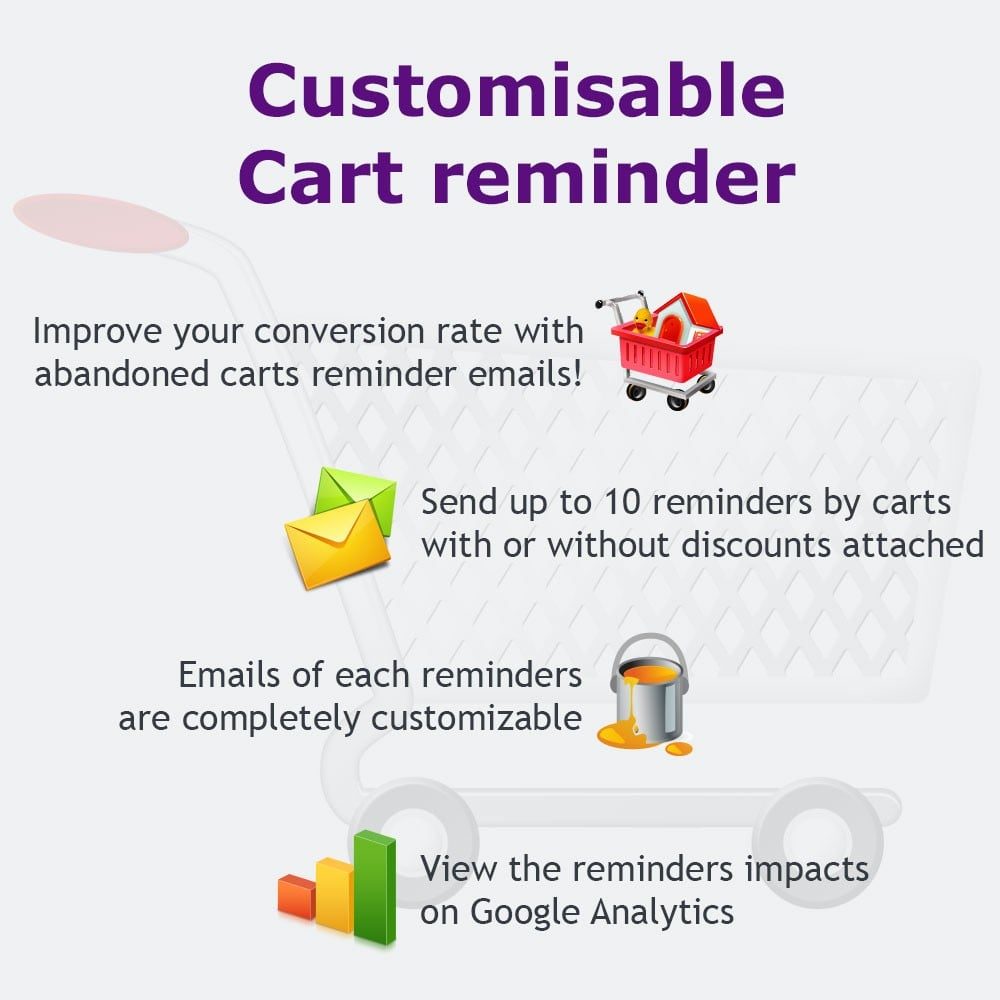
Followup with your customers on abandoned carts by sending them reminder emails, include coupons and discounts, and bring them back to your site to complete the purchase. This abandoned cart module improves conversion rate and decreases cart abandonment.
Option

 Read the review
 Data sheet
| Version | 2.6.0 |
| Core modifications (override) | No |
| Third party subscription: | No |
| Translation : | fr-en |
| Compatible Prestashop 1.5 | Yes |
| Compatible Prestashop 1.6 | Yes |
| Compatible Prestashop 1.7 | Yes |
| Compatible thirtybees 1.1 | Yes |
| Compatible thirtybees 1.2 | Yes |
| Multi Shop compatible: | Yes |
More info
It is estimated that up to 75% of all online checkout transactions are abandoned before the sale is completed.
Sometimes there's an error, sometimes the customer changes their mind, sometimes the customer just needs a little offer to clinch the deal.
This abandoned cart module improves conversion rate and decreases cart abandonment. Whether your cart abandonment is due to high shipping costs or it is due to high prices, this module allows you to follow-up and engage with all those customers who left the cart abandoned.
Recycle your abandoned carts into sales with this module!
Fonctionnalités
This module is extremely customizable, complete, remaining as simple as possible for you and your customers.
Reminders:
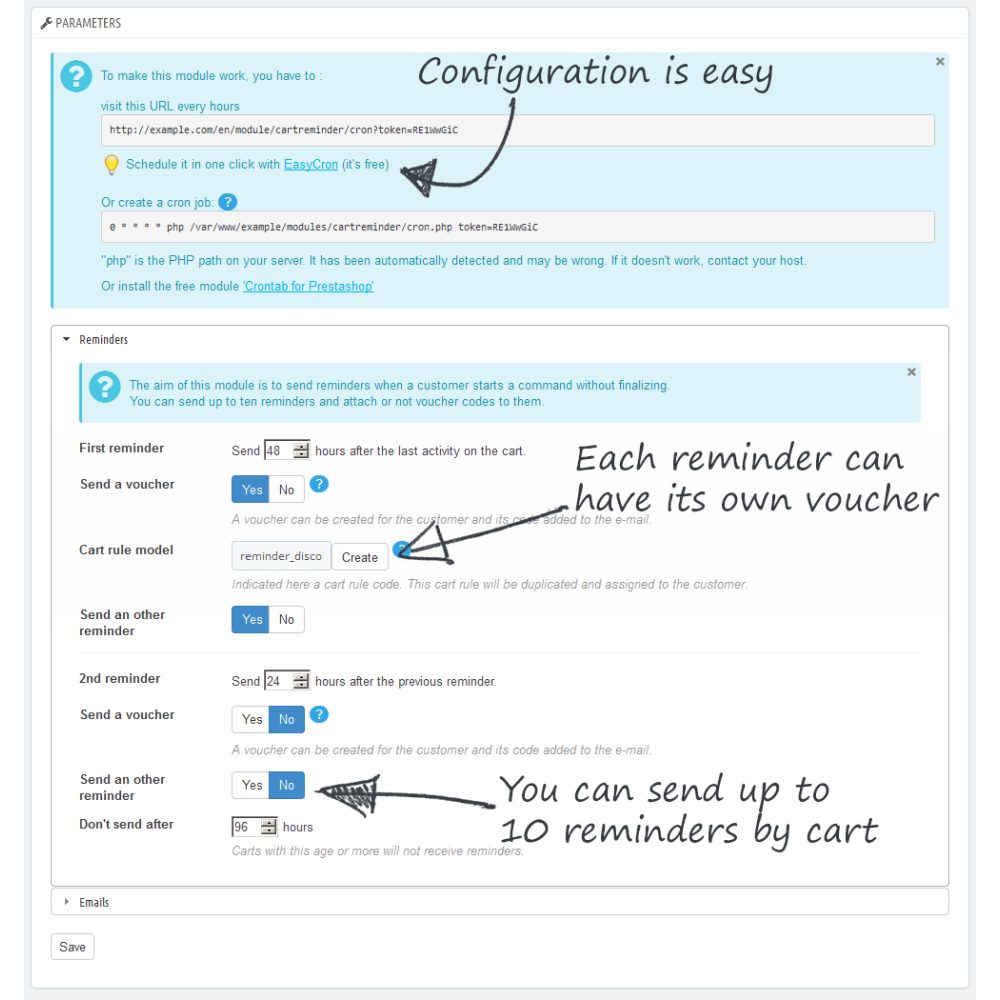
- You can send up to 10 reminders by abandoned cart,
- You can set the delay between each reminder and for the first one the time of cart inactivity,
- Each reminder can have its own text and design,
- A different voucher can be attached to each reminder,
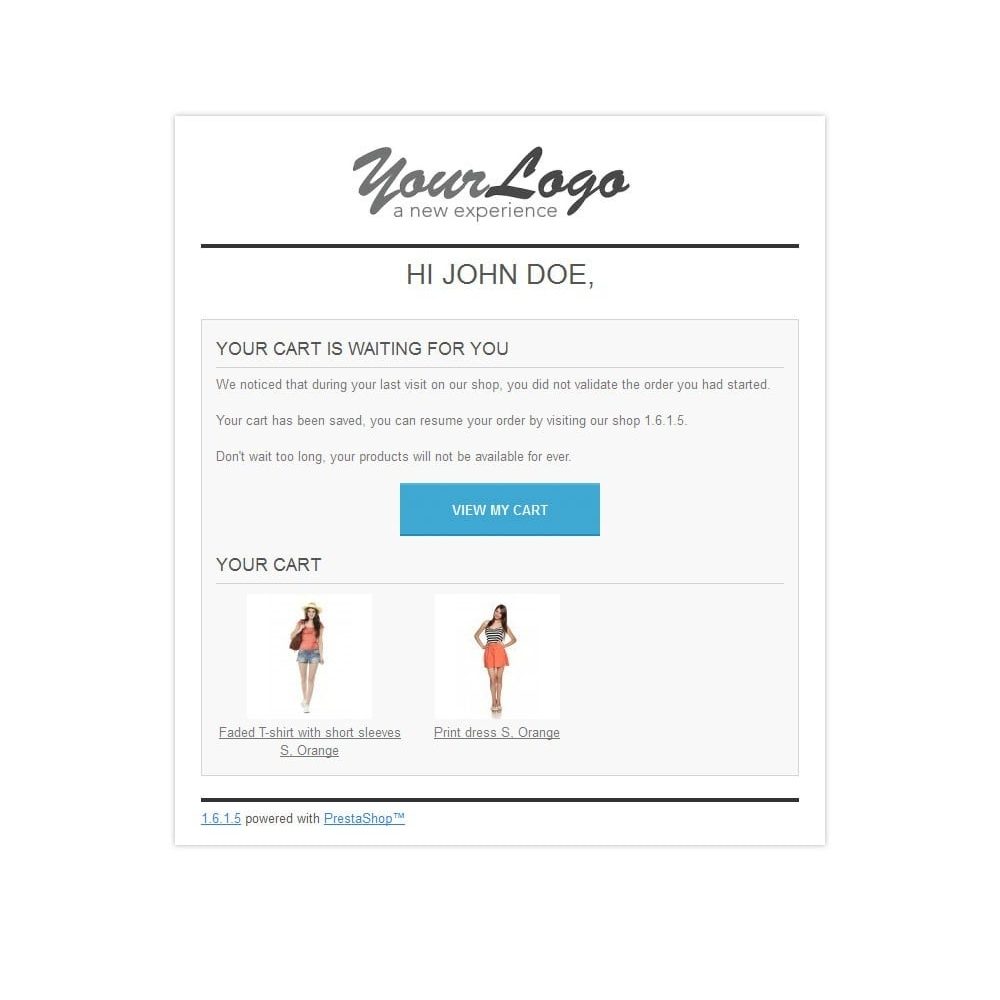
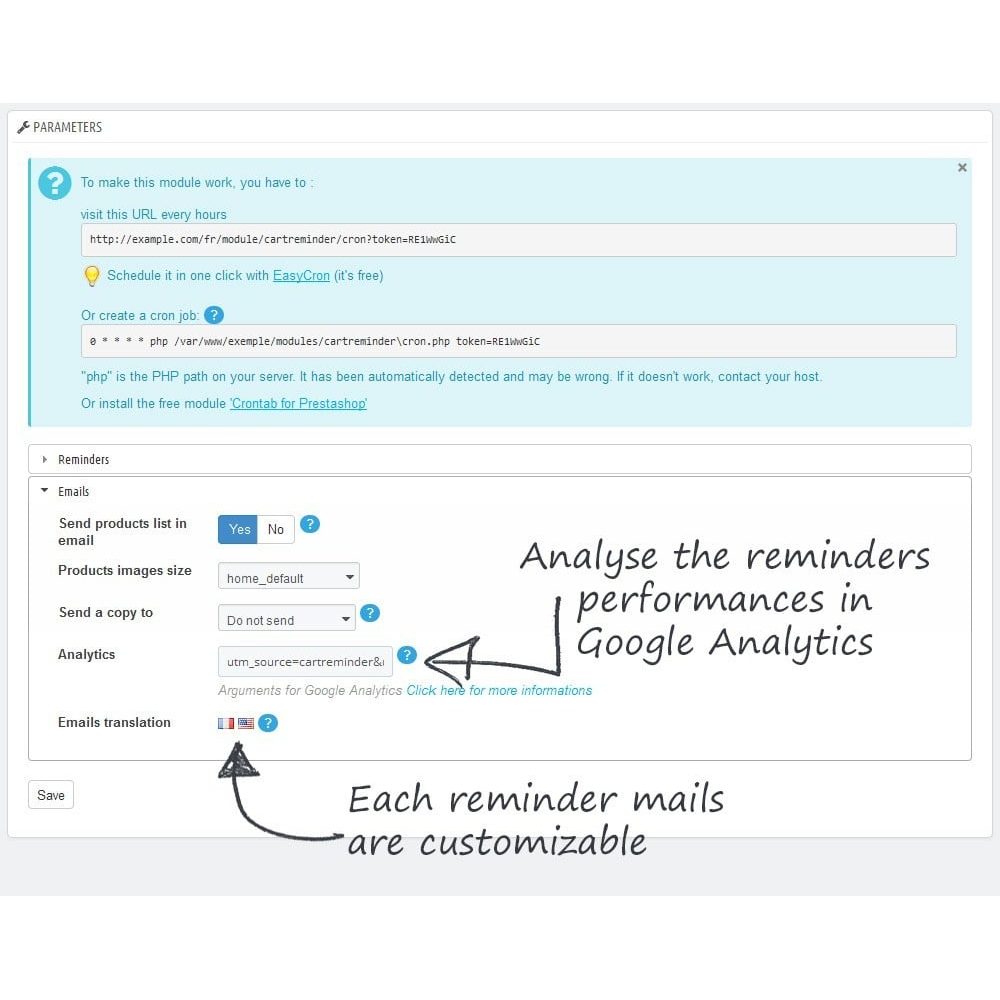
- The cart's products can be joined to each email
Vouchers:
You can attach or not a voucher to each reminder. The customer will receive a code to enter in its shopping cart.
In order to stay as simple and complete as possible this module doesn't try to reinvent the wheel. :
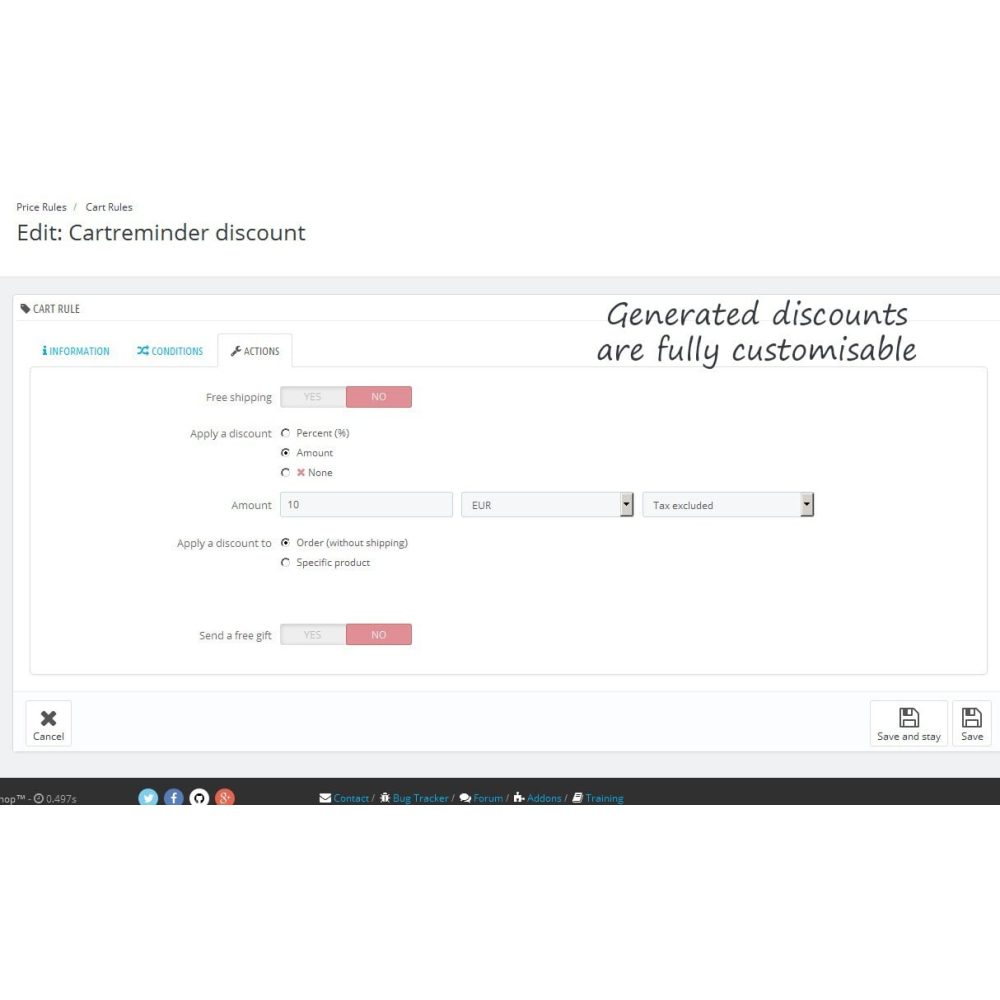
You create a cart rule in the builtin tool of Prestashop (in Price Rules > Cart Rules) and say to the module to use it for a reminder. You can create as much as cart rule as you want so you can have one different cart rule by reminder or use the same for each one.
So the voucher can :
- be an amount in percentage or fixed price,
- offert free shipping,
- offert a free gift,
- apply to the order amount or a specific product,
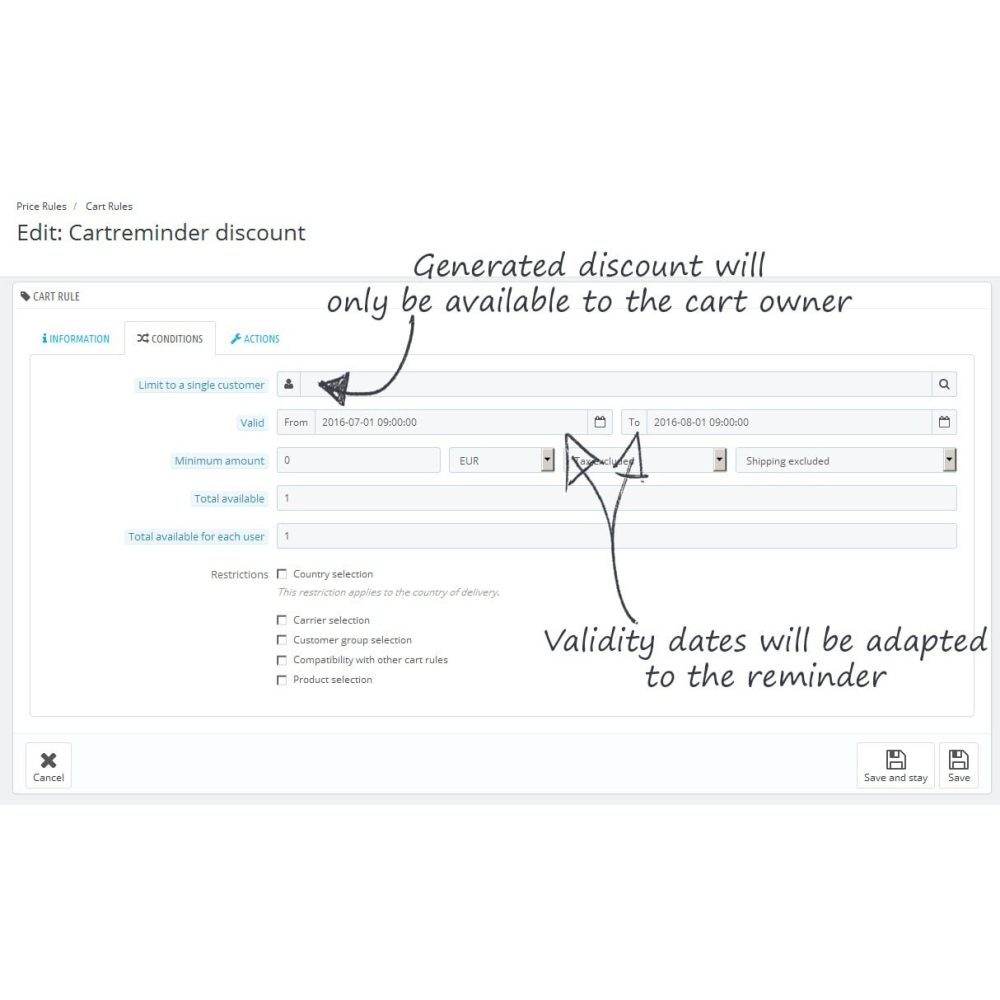
- have a limited validity time,
- have a minimum amount,
- have all the features a Prestashop cart rule can have
When the module sends a reminder, it duplicates the cart rule, changes its code, assigns it to the cart owner and adjusts its validity dates.
E-mails:
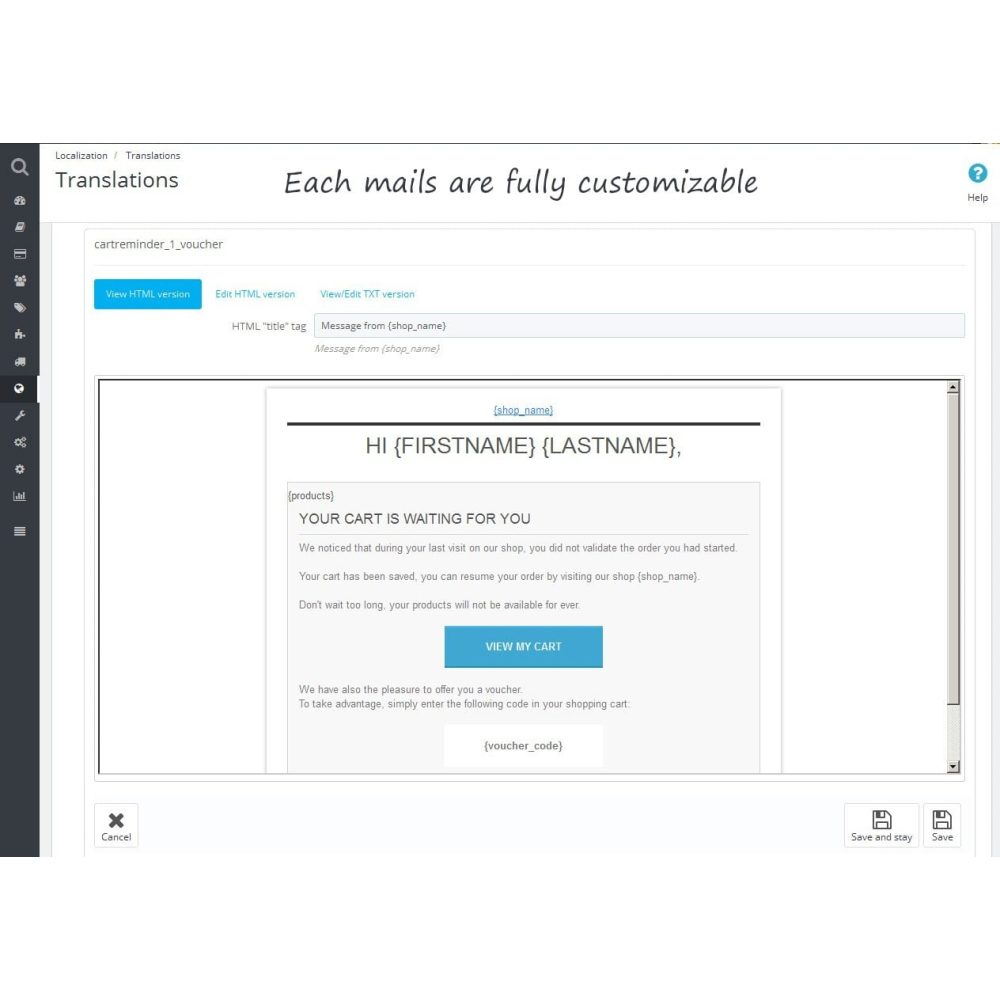
Each reminder has its own email template so you can customize all the texts and designs.
Once again, in order to stay as simple and complete as possible this module doesn't try to reinvent the wheel and use the builtin tool of Prestashop (in Localization > Translations). you can customize the emails subjects and messages bodies with the help of rich text editor for each languages.
Statistics:
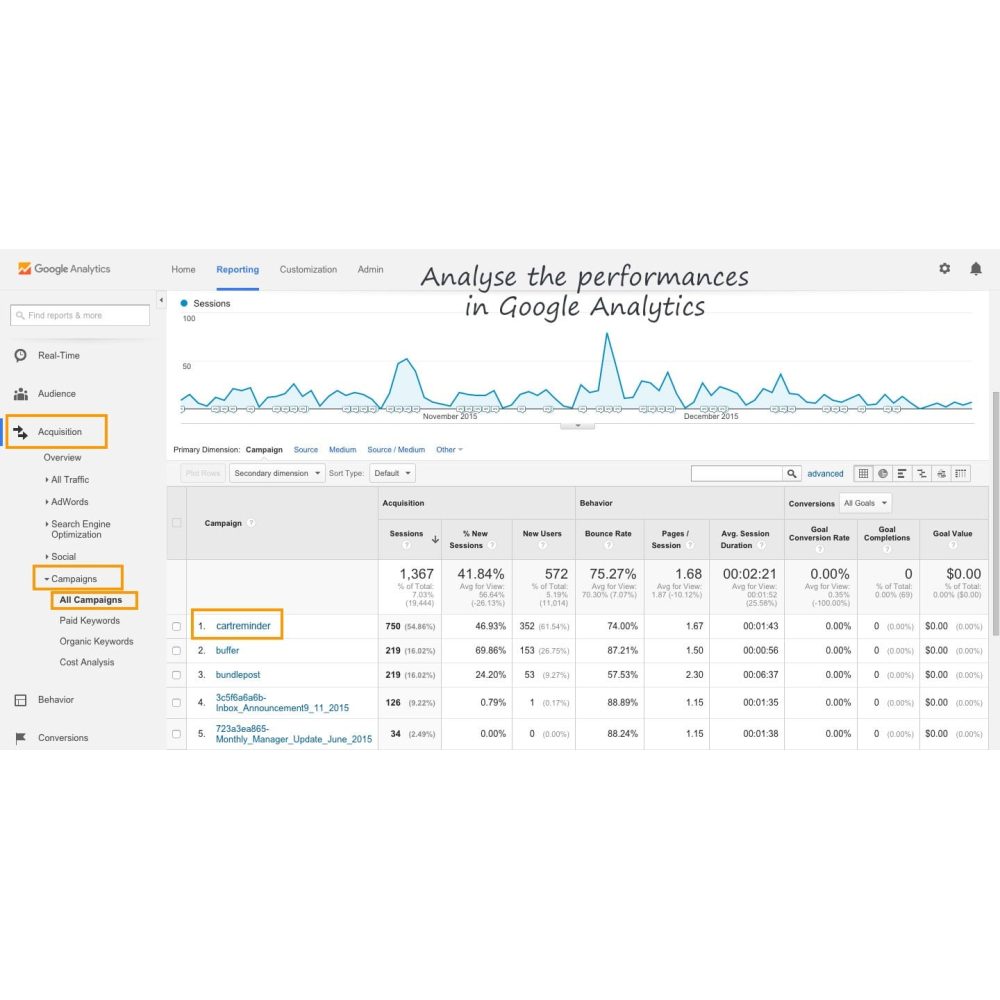
Parameters are added to the email in order to analyse the reminders impact on Google Analytics (or others anaytics tools). You can view the sessions created by the module, the conversions rate of them and all the statistics Google Analytics gives.
Les « + » pour le client
It is now easier for your customers to restore their carts: customer reminder email will include a link back to the cart, by clicking on they can continue the order process directly.
They only have to click on the email button to access to their cart
Interested in product
Tell us your interest in this product and we will contact you for more details.
Reviews